
 GitHub
# How to Integrate
# Step 1: Create a GitHub OAuth App
Go to GitHub(opens new window) to register a new GitHub OAuth application.
On the New Application page, you need to complete the following steps:
- Application name: Zadig, or any other recognizable name.
- Homepage URL: http://[Zadig.yours.com]
- Authorization Callback URL:
http://[Zadig.yours.com]/dex/callback - Click "Create"
# Step 2: Obtain Client ID and Client Secret Information
After the application is successfully created, GitHub will display the basic information of the application. Click Generate a new client secret to generate the Client Secret.
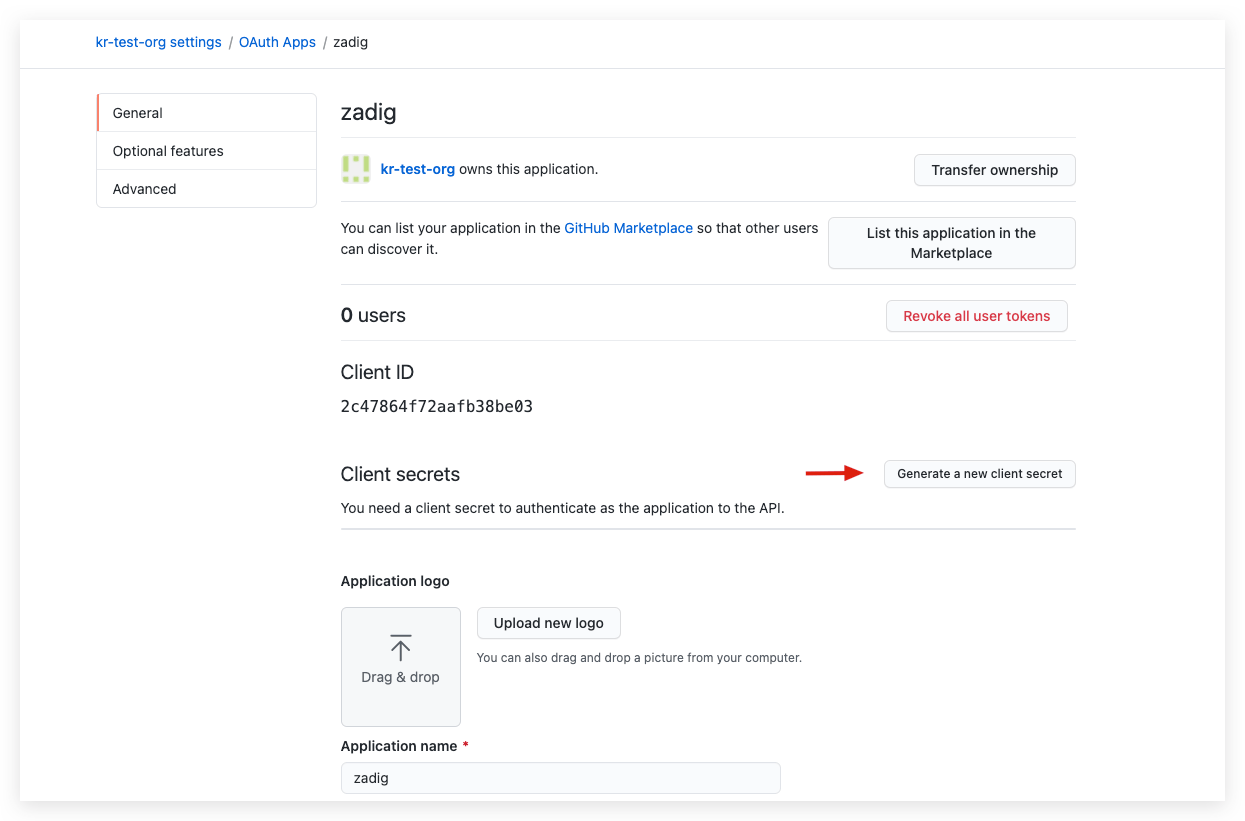
The page now includes the complete Client ID and Client Secret.
# Step 3: Integrate GitHub OAuth
Click System Settings -> Integration -> Account System -> Click "Add" -> Select GitHub.
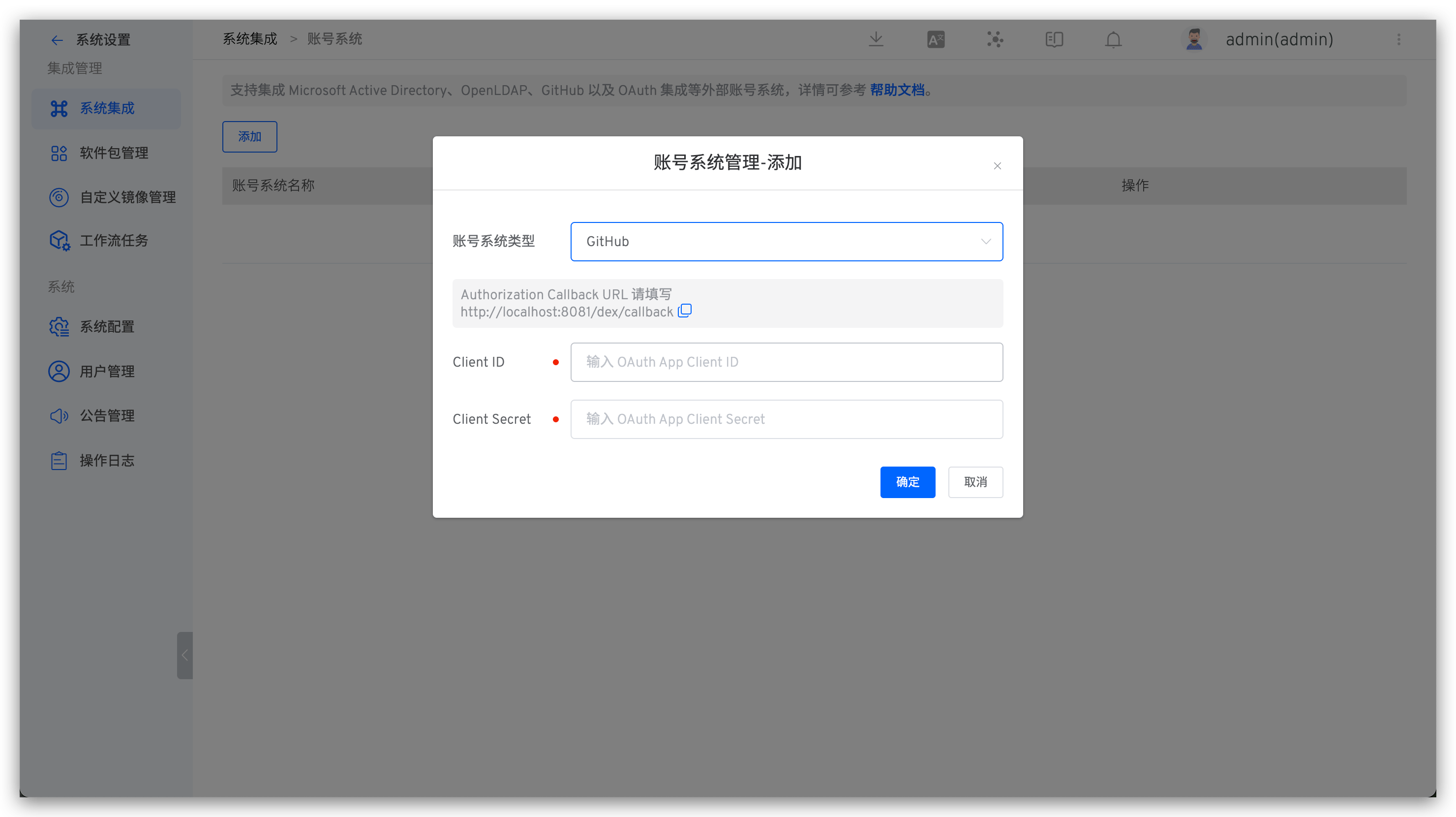
Parameter Description:
Client ID: The Client ID obtained in Step 2.Client Secret: The Client Secret obtained in Step 2.

